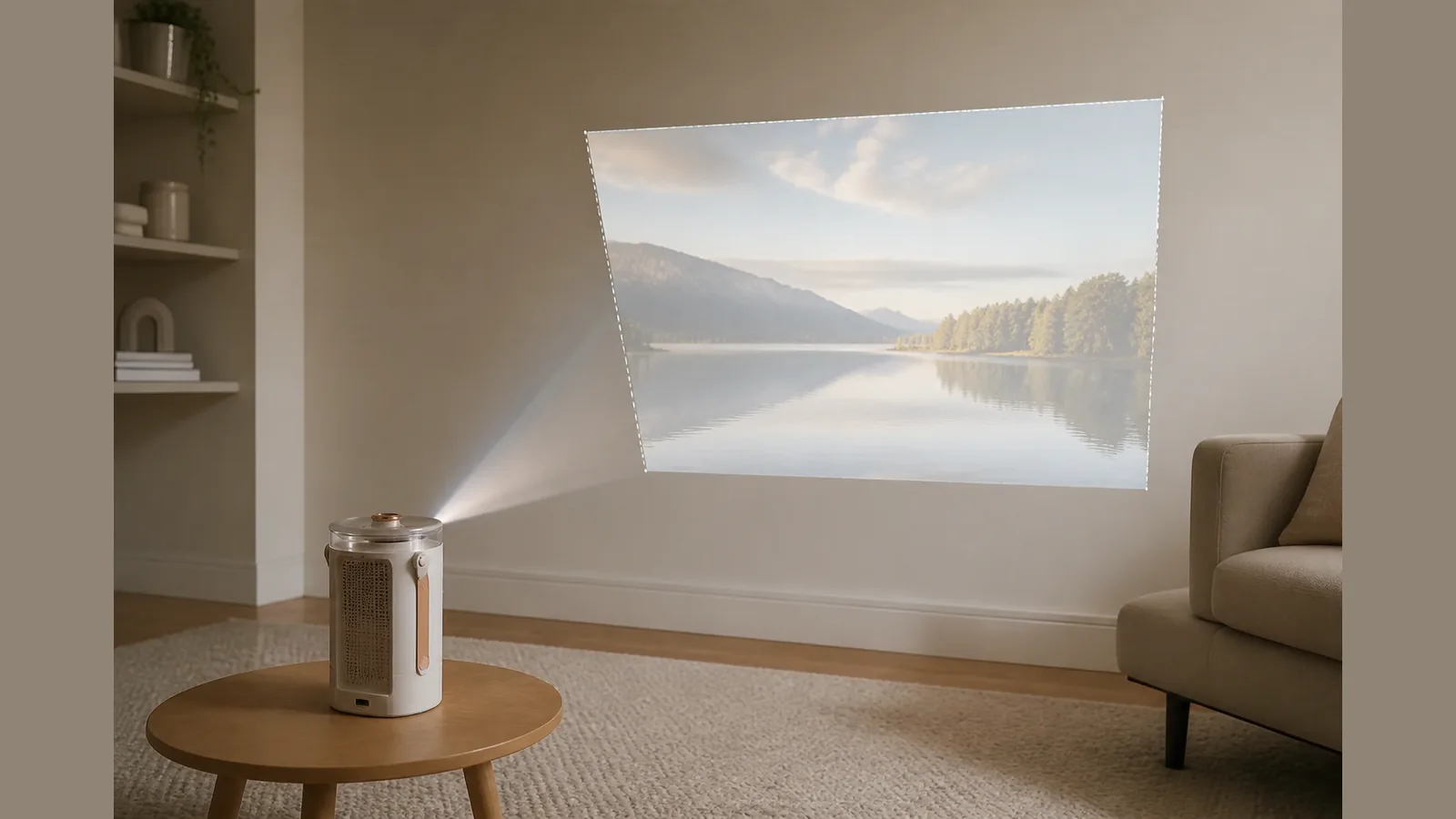
Does Keystone Correction Reduce Image Quality? What UK Buyers Should Fix Before Hitting Auto
Yes — heavy digital keystone correction can reduce image quality because it reshapes the pixel grid and often softens fine detail, especially at the edges. If you are asking does keystone correction reduce image quality before buying or setting up a smart projector, fix placement first and treat auto keystone as a convenience tool, not the default for best clarity.
Direct answer: heavy digital keystone can soften detail
Digital keystone is a software correction that warps a skewed picture into a rectangle. That warp is useful when a projector sits off-centre or on a tilt, but it is not optically free. Industry explainers note that digital keystone reshapes pixels and can soften detail, whereas better placement — or optical lens shift on projectors that offer it — preserves more of the native pixel grid.
So the practical answer for UK living-room and rental setups is: light correction for casual watching is often fine; heavy auto keystone as a substitute for aiming the unit is where softness and uneven sharpness become noticeable.
Why trapezoid correction resamples pixels
When the projector throws a trapezoid onto the wall, digital keystone samples that image and remaps it into a rectangle. Pixels are stretched, compressed or interpolated so straight edges look square on screen. That resampling is why edges can look softer than the centre, and why “auto keystone projector soft image” complaints usually appear after large vertical or horizontal corrections rather than after a small tweak.
Optical lens shift, by contrast, moves the image path without the same software warp. That is the core of the lens shift vs keystone trade-off: placement or optical adjustment keeps more of the original grid; digital correction trades some sharpness for a rectangular picture. Do not assume every model has optical lens shift — check the product page for that feature before you plan around it.
Placement-first checklist before enabling auto keystone
Before you rely on auto keystone, work through placement. Throw ratio links distance to screen width, so moving the projector closer or further changes how large the image is; table or stand placement is common for rentals and temporary setups where ceiling mounts are not an option.
- Square the projector to the screen or wall as much as the room allows — centre line first, then height.
- Set distance for the width you want using the throw guidance for your model, then fine-tune focus.
- Level the chassis so vertical edges look closer to parallel before software correction.
- Only then enable keystone, using the smallest correction that makes the frame look rectangular.
- If the image still needs a large warp, move the stand or shift the throw path rather than stacking more digital correction.
This order reduces the chance of keystone correction blurry edges caused by aggressive resampling.
When small keystone is acceptable for casual viewing
Small amounts of keystone are often acceptable for streaming, sport and everyday viewing where perfect edge acuity matters less than a tidy rectangle. Guests, short-term lets and rooms where you cannot mount dead-centre are typical cases.
Keep expectations clear: treat 4K, HDR, DRM, app licensing and platform compatibility as claims to verify on the product page for the specific unit, and do not lean on digital keystone to “fix” a poorly placed throw for critical film nights. If you are comparing options, start from current product details and confirm features on-page rather than assuming optical shift or a single brightness figure.
Ready to check placement-friendly smart projector options? See the Beamora Ultra Smart Projector product details and confirm throw, correction and feature wording before you buy.
FAQ
Does keystone correction reduce image quality every time?
Not every time. Mild correction for casual viewing is often acceptable; heavy digital keystone is more likely to soften detail because it resamples the pixel grid.
Is auto keystone bad for image quality?
Auto keystone is a convenience feature. It can leave the picture soft if it applies a large warp. Prefer placement first, then the smallest correction that squares the frame.
Lens shift vs keystone — which should I prefer?
Where available and verified on the product page, optical lens shift preserves more of the native pixel grid. Digital keystone is the fallback when the room forces an off-axis throw.
Why do edges look blurrier after keystone?
Trapezoid correction interpolates pixels to rebuild a rectangle, so edge detail is often the first place softness shows — especially with large vertical or horizontal correction.